SQL Data Builder

Manage your databases visually with an intuitive interface. Create tables, manage relationships, and execute queries without writing SQL code.

Manage databases the visual way

SQL Data Builder transforms complex database operations into simple visual actions. No SQL knowledge required.

Visual Table Designer

Create and modify database tables with a spreadsheet-like interface. Define columns, data types, and constraints with just a few clicks.

  • Drag-and-drop column management
  • Auto-suggest data types
  • Primary and foreign key creation
  • Index management
Learn more
Visual table designer showing drag-and-drop column management, data types, and primary key configuration in SQL Data Builder

Interactive ER Diagrams

Visualize your entire database schema with automatically generated entity-relationship diagrams. Create and manage relationships with drag-and-drop connections.
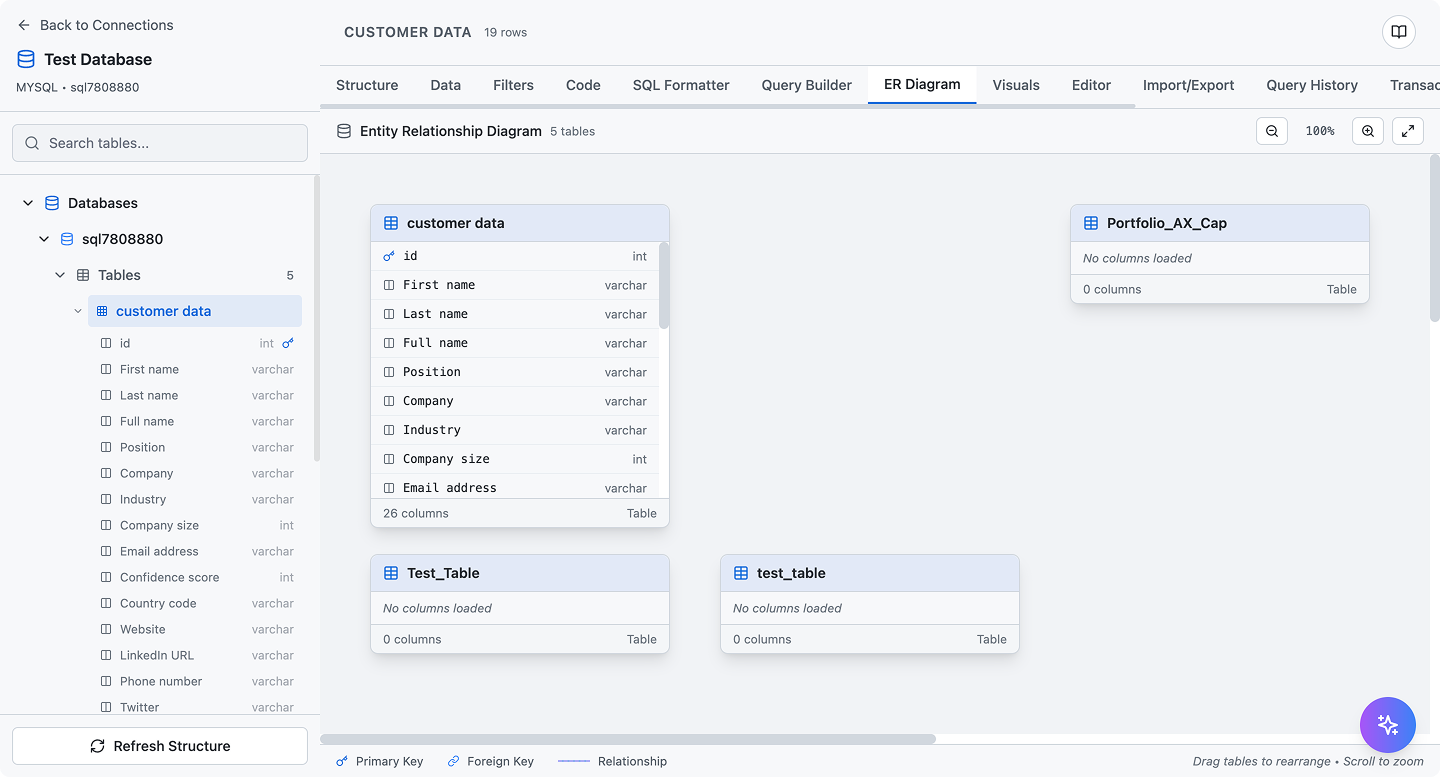
  • Auto-generated database diagrams
  • Drag-and-drop relationship creation
  • Visual constraint management
  • Export diagrams as images
Learn more
Entity-relationship diagram showing database schema with tables, relationships, and foreign key constraints in visual format

Smart Data Management

View, edit, and filter your data in a powerful spreadsheet-like interface with advanced filtering and sorting capabilities.
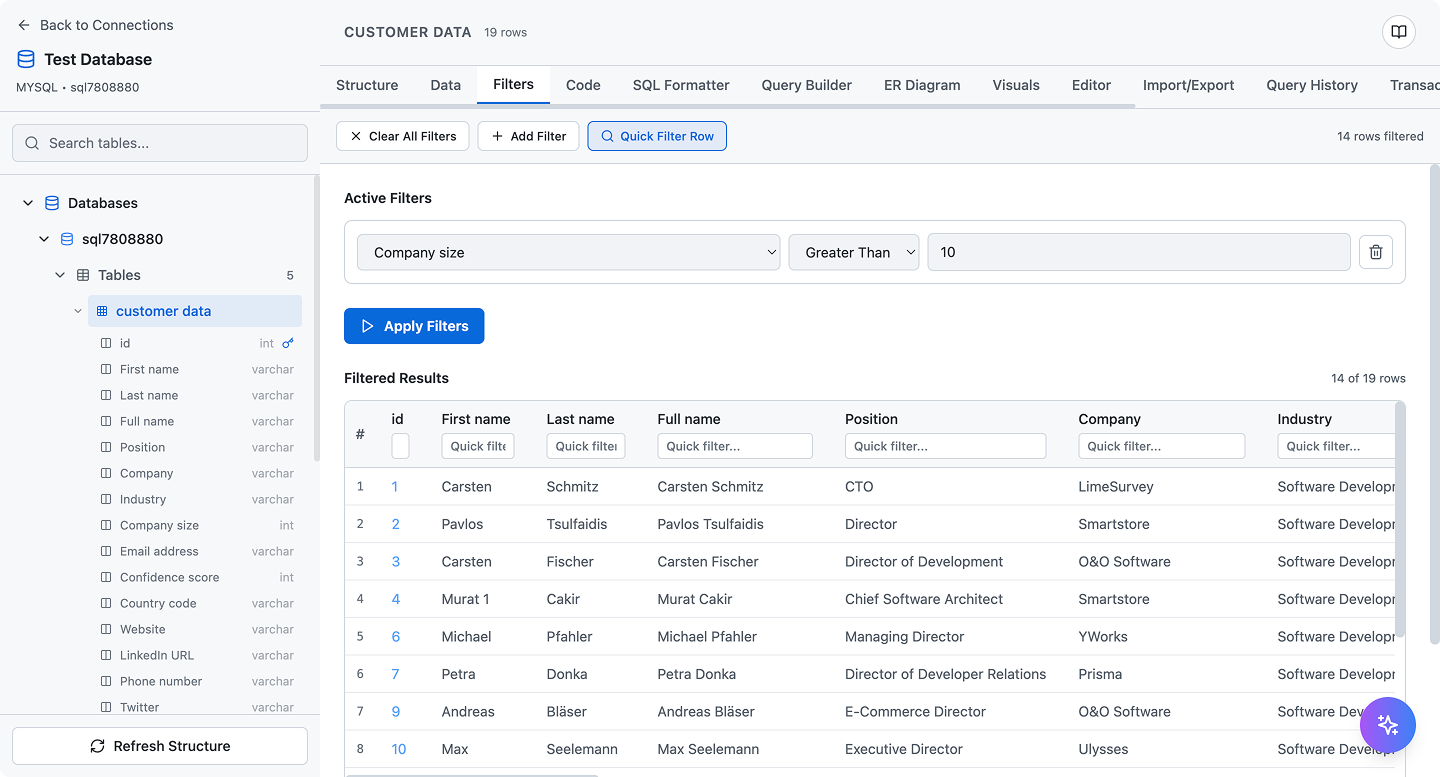
  • Inline data editing
  • Advanced filtering and search
  • Bulk operations
  • Export to CSV/JSON
Learn more
Data management interface with advanced filtering, sorting, and inline editing capabilities for database records
πŸš€ COMING SOON

AI Database Agent

Just tell the AI what you want - it builds your database, creates tables, adds relationships, and manages data. You stay in control with approval for every action.

πŸ’¬ Chat with AI Agent
You
"Create a database for an e-commerce shop with products, orders, and customers"
πŸ€– AI Agent
"I'll create 3 tables for you:
β€’ customers (id, name, email)
β€’ products (id, name, price, stock)
β€’ orders (id, customer_id, total, status)"
⚑ Action Required
Create 3 tables with relationships
βœ‹ Review & Approve
Planned Actions:
βœ“
Create table: customers
3 columns, 1 primary key
βœ“
Create table: products
4 columns, 1 primary key
βœ“
Create table: orders
4 columns, 1 foreign key β†’ customers
πŸ‘οΈ Live Preview - See What the Agent Creates
πŸ‘₯ customers
πŸ”‘ id
name
email
πŸ“¦ products
πŸ”‘ id
name
price
stock
πŸ›’ orders
πŸ”‘ id
πŸ”— customer_id
total
status
🎯
Natural Language
Describe what you want in plain English - no technical jargon needed
βœ‹
You Stay in Control
Approve every action before it happens - the agent never does anything without your permission
πŸ‘οΈ
Visual Feedback
Watch in real-time as the agent creates tables, relationships, and data structures

Key Features

Everything you need to manage databases efficientlyβ€”from visual design to advanced queries

SQL Code Generation

Automatically generate optimized SQL code from your visual designs. Copy, execute, or export for use in your applications.

Multi-Database Support

Works seamlessly with MySQL, PostgreSQL, SQLite, and other popular SQL databases. Switch between databases effortlessly.

Query History

Track all executed queries with timestamps and results. Rerun previous queries or use them as templates for new operations.

Import & Export

Import data from CSV, JSON, or SQL files. Export your database structure and data in multiple formats for backups or migrations.

Advanced Filtering

Build complex queries visually with AND/OR conditions, comparison operators, and nested filters. No SQL syntax required.

Inline Editing

Edit data directly in the table view. Changes are validated in real-time and applied instantly to your database.

Built for productivity

Powerful tools that save you time and reduce errors

SQL Editor with Syntax Highlighting

For advanced users who prefer writing SQL, our editor provides a powerful coding experience with auto-completion and error detection.
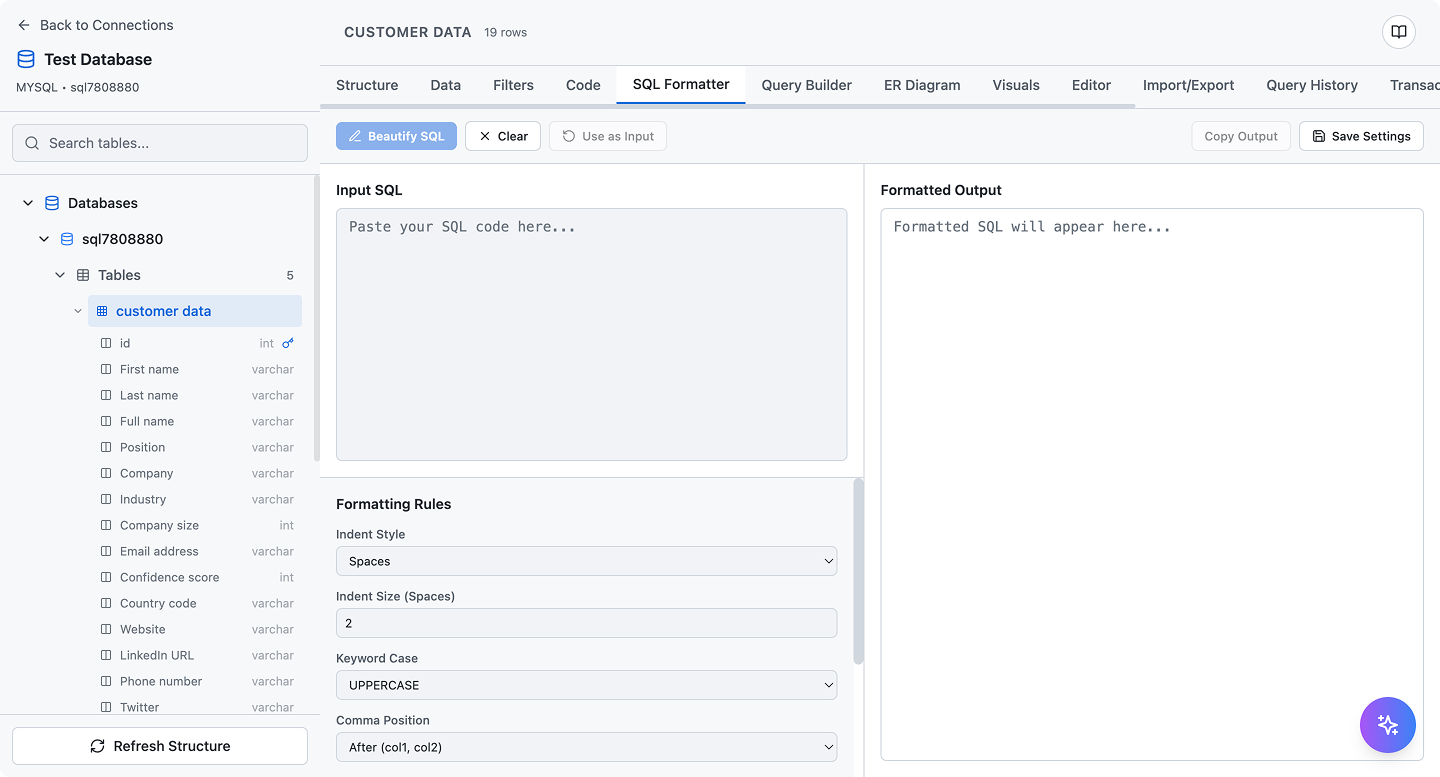
  • Syntax highlighting for SQL
  • Auto-completion and suggestions
  • Query execution and result preview
  • Save and organize favorite queries
SQL code editor with syntax highlighting, auto-completion, and query execution features

Generate SQL Code Instantly

Every visual action generates the corresponding SQL code. Learn SQL while you work, or copy the code to use in your applications.
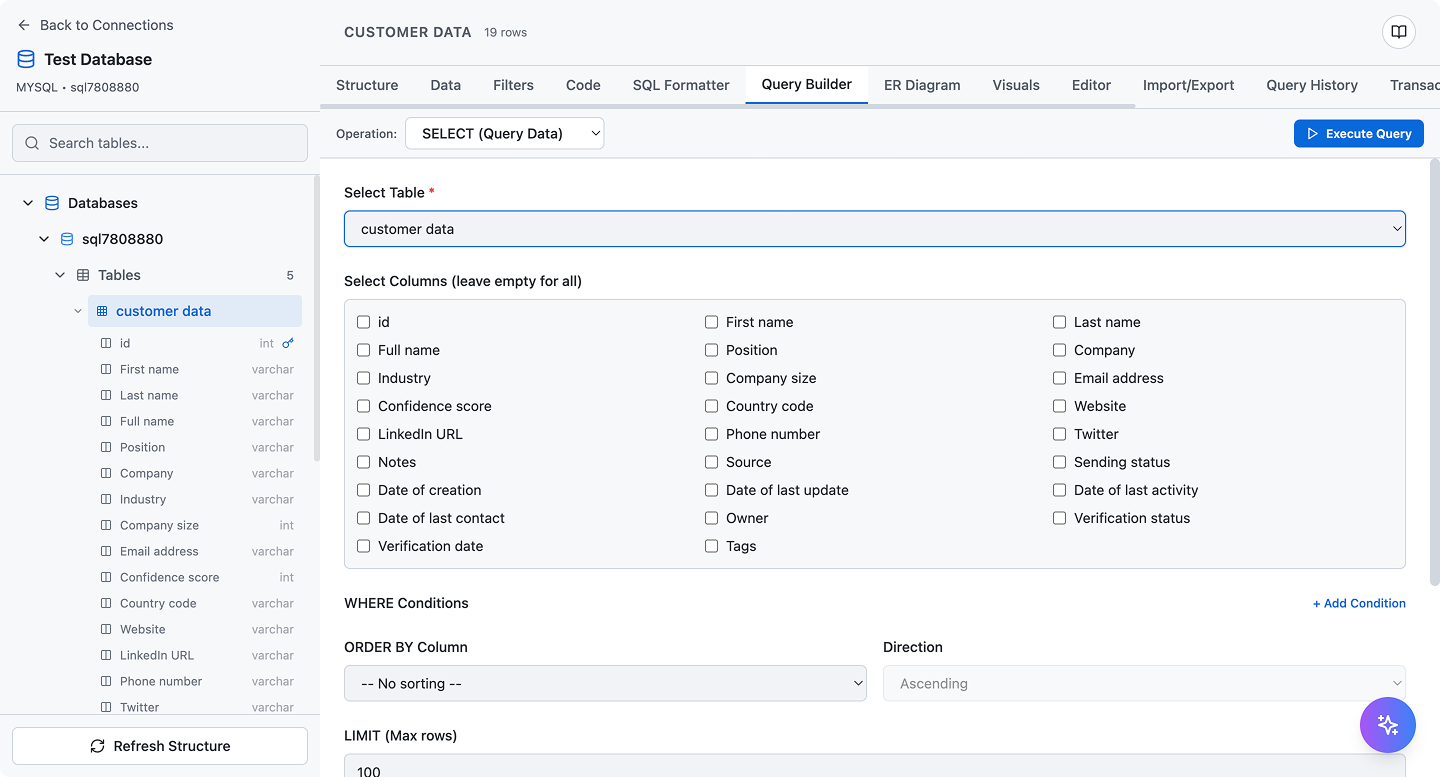
  • Real-time SQL generation
  • Copy to clipboard with one click
  • Optimized query performance
  • Educational tool for learning SQL
SQL code generation interface showing automatically generated queries from visual database operations

Query History & Management

Never lose track of your work. All executed queries are saved with timestamps, making it easy to review, rerun, or modify past operations.
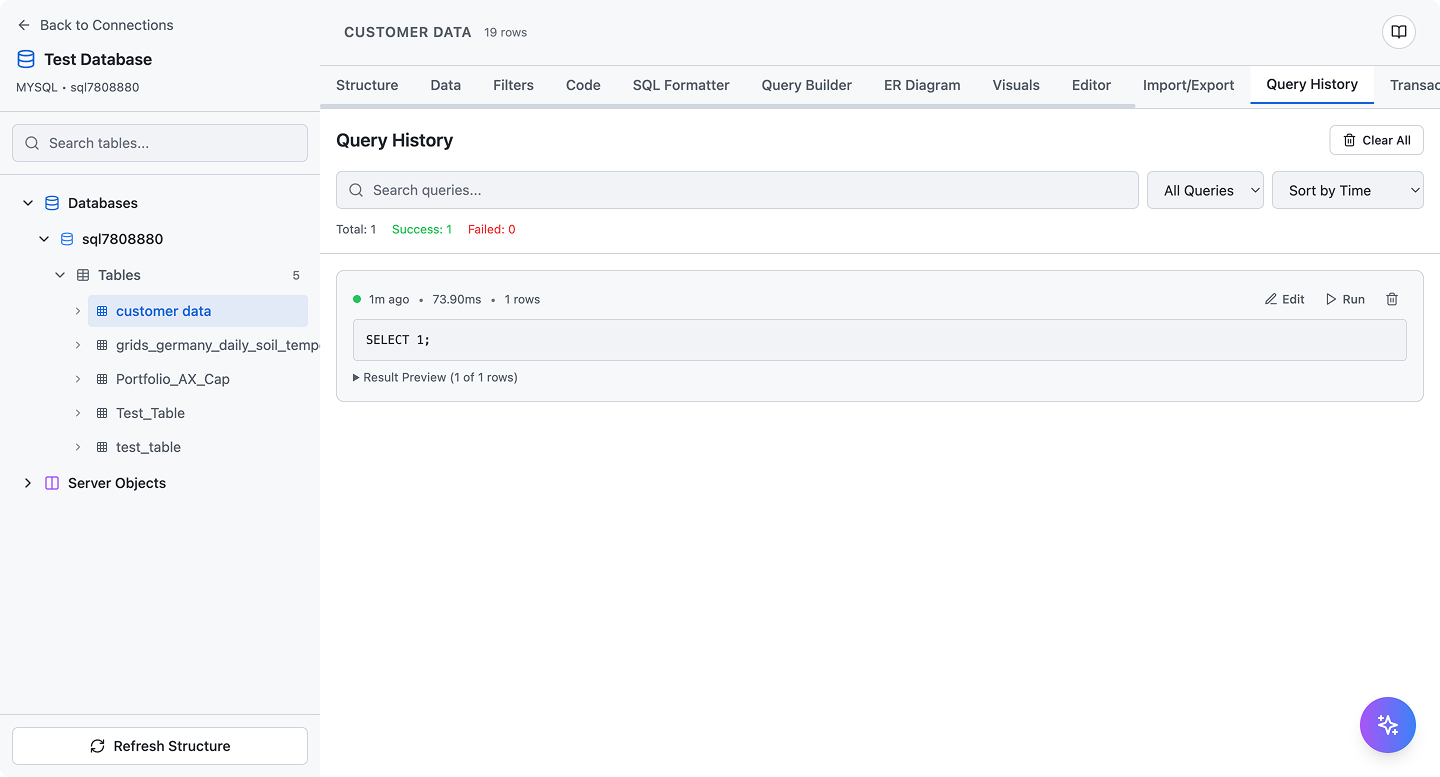
  • Complete query history
  • Filter by date or database
  • Rerun queries instantly
  • Export query history
Query history management interface showing executed SQL queries with timestamps and results
πŸš€ No SQL knowledge required

Start managing databases the visual way

Join thousands of developers and teams who are managing their databases efficiently with SQL Data Builder. Build complex queries without writing a single line of SQL.

Visual
Database designer
Auto
SQL generation
Multi
Database support