Learning SQL can be intimidating for beginners, especially when faced with command-line interfaces and complex syntax. Fortunately, modern SQL tools provide visual interfaces that make database management accessible while teaching you proper SQL fundamentals.
In this comprehensive guide, we'll compare three excellent SQL tools for beginners: SQL Data Builder (with automatic code generation for learning), DBeaver (powerful free desktop tool), and phpMyAdmin (classic web-based interface). Each tool offers unique advantages for those starting their database journey.
1. SQL Data Builder - Learn SQL Through Visual Actions
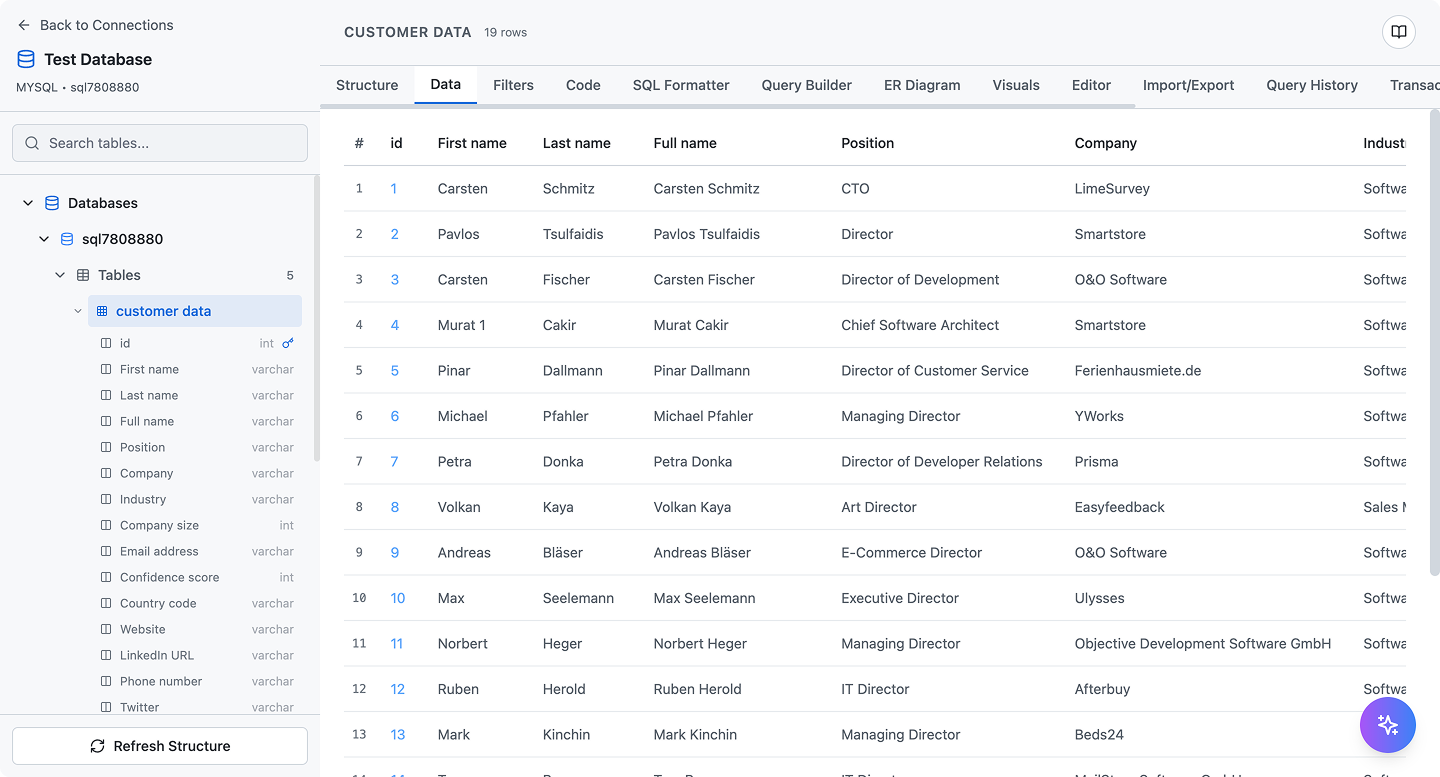
SQL Data Builder shows the SQL code behind every visual action, perfect for learning
SQL Data Builder is uniquely designed for beginners who want to learn SQL while working on real projects. Its standout feature is automatic SQL code generation - every visual action you perform displays the equivalent SQL command, helping you understand what's happening behind the scenes.
Why It's Great for Beginners
- Automatic Code Generation: Every table creation, data insert, or query shows you the actual SQL code being executed
- Visual ER Diagrams: Automatically visualize database relationships to understand schema design
- Intuitive Interface: Drag-and-drop table creation without memorizing syntax
- Query Builder: Build complex queries visually, then see the SQL behind them
- Real Database Connection: Work with actual MySQL, PostgreSQL, or SQLite databases
- Import/Export Tools: Practice with real data from CSV, Excel, or JSON files
- Error-Free Learning: Visual interface prevents syntax errors while you're learning
Learning Features
- Copy generated SQL code to learn proper syntax
- See how foreign keys and relationships are created
- Understand JOIN operations through visual relationship diagrams
- Learn data types and constraints through guided interface
- Practice with unlimited databases and tables
Pricing
- Monthly Plan: $2.99/month (includes VPS Commander)
- Annual Plan: $29.99/year (save 17%)
Best For
- Absolute beginners learning SQL fundamentals
- Students wanting to understand SQL code generation
- Self-taught developers building portfolio projects
- Anyone wanting to visualize database relationships
Pros & Cons
Pros:
- Shows SQL code for every action (excellent for learning)
- Professional ER diagram generation
- Very affordable at $2.99/month
- Works with industry-standard databases
- Clean, beginner-friendly interface
- No complicated setup required
Cons:
- Requires a VPS or database server connection
- Limited to SQL databases (MySQL, PostgreSQL, SQLite)
- Fewer advanced features than professional tools
- No offline mode (web-based)
2. DBeaver - Free Professional Database Tool

DBeaver provides a powerful desktop interface for database management
DBeaver is a free, open-source desktop application that supports virtually every database system. While it's a professional-grade tool, the Community Edition offers an excellent learning environment for beginners with comprehensive features at no cost.
Why It's Great for Beginners
- Completely Free: Full-featured Community Edition with no cost
- Visual Query Builder: Create queries without writing SQL manually
- ER Diagrams: Generate database diagrams to visualize structure
- SQL Editor: Syntax highlighting, auto-completion, and error detection
- Data Editor: Spreadsheet-like interface for viewing and editing data
- Multi-Database Support: MySQL, PostgreSQL, SQLite, MariaDB, Oracle, SQL Server, and 80+ more
- Database Navigator: Tree view of all databases, tables, and objects
- Sample Databases: Practice with built-in sample databases
Learning Features
- SQL query execution with detailed result displays
- Database schema comparison tools
- Data export/import in multiple formats
- Built-in SQL templates and examples
- Query execution plans for understanding performance
Pricing
- Community Edition: Free (open-source, unlimited use)
- PRO Edition: $10/month (NoSQL databases, advanced features)
- Enterprise Edition: Custom pricing (team collaboration)
Best For
- Beginners wanting a powerful free tool
- Students practicing with multiple database systems
- Developers needing desktop application access
- Anyone working with diverse database types
Pros & Cons
Pros:
- Completely free and open-source
- Supports nearly every database system
- Professional-grade features in free version
- Active community and frequent updates
- Cross-platform (Windows, Mac, Linux)
- Powerful SQL editor with auto-completion
Cons:
- Interface can be overwhelming for absolute beginners
- Steeper learning curve than web-based tools
- Requires installation and setup
- No automatic SQL code generation for visual actions
- Desktop-only (no web/mobile access)
3. phpMyAdmin - Classic Web-Based MySQL Tool
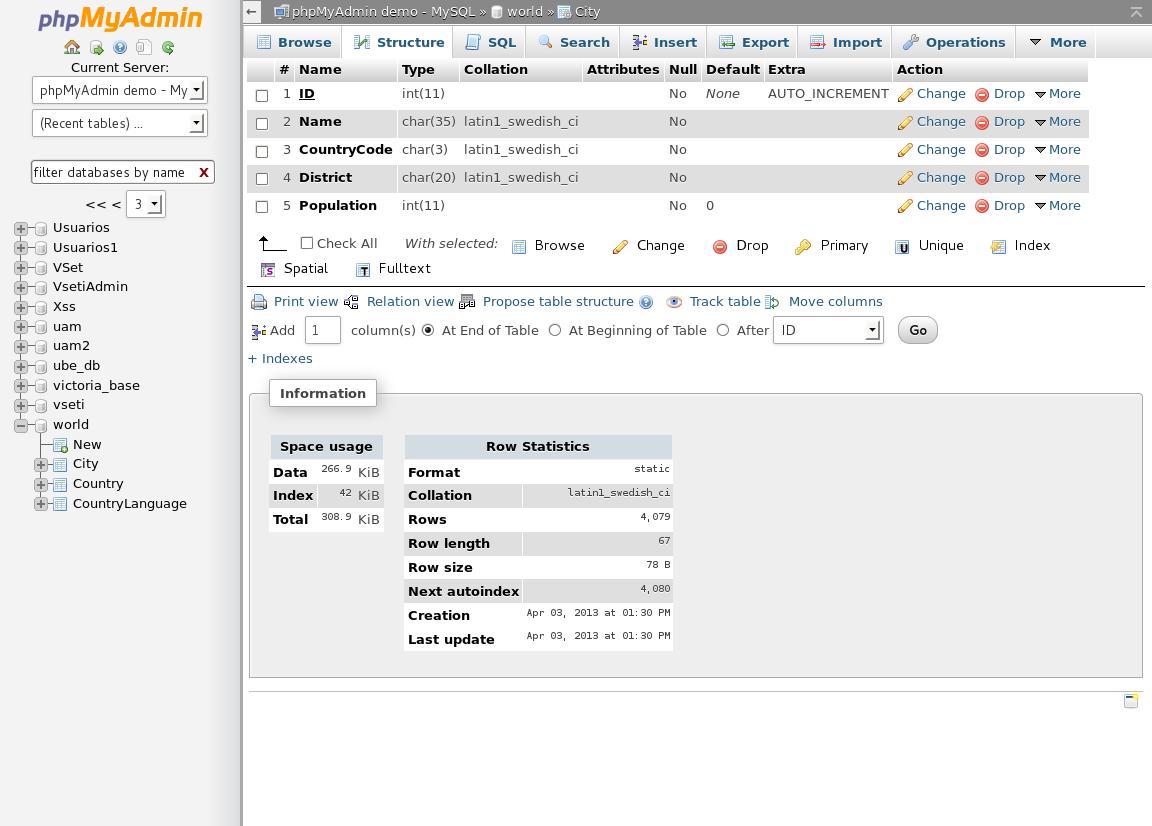
phpMyAdmin is the classic web-based tool for MySQL database management
phpMyAdmin is the most widely-used web-based MySQL management tool, installed by default on most web hosting services. For beginners with shared hosting or LAMP stack servers, it's often the first SQL tool they encounter.
Why It's Great for Beginners
- Pre-Installed: Usually comes with web hosting packages (no installation needed)
- Web-Based: Access from any browser, no desktop software required
- Visual Database Operations: Create databases and tables through forms
- SQL Tab: Execute custom queries with syntax highlighting
- Data Browse/Edit: View and modify data in spreadsheet format
- Import/Export: Support for CSV, SQL, XML, and more
- User Management: Manage database users and permissions visually
- Designer View: Visual database schema designer with relationships
Learning Features
- Query execution with detailed error messages
- Database search functionality across tables
- SQL query history and bookmarks
- Visual foreign key relationship creation
- Table structure export as SQL scripts
Pricing
- Free: Open-source software, typically included with hosting
- Cost: Only pay for hosting (if using shared hosting with phpMyAdmin)
Best For
- Beginners with shared hosting accounts
- WordPress users managing MySQL databases
- Students learning MySQL specifically
- Anyone needing quick web-based database access
Pros & Cons
Pros:
- Free and open-source
- Pre-installed on most web hosting
- No desktop installation required
- Simple interface for basic operations
- Excellent for WordPress database management
- Large community and extensive documentation
Cons:
- Outdated interface design
- MySQL/MariaDB only (no PostgreSQL or SQLite)
- Limited visual query builder
- No automatic code generation for learning
- Performance issues with large databases
- Security concerns if not properly configured
Side-by-Side Comparison
| Feature | SQL Data Builder | DBeaver | phpMyAdmin |
|---|---|---|---|
| Pricing | $2.99/month | Free | Free |
| Platform | Web-based | Desktop (cross-platform) | Web-based |
| Supported Databases | MySQL, PostgreSQL, SQLite | 80+ databases | MySQL, MariaDB only |
| SQL Code Generation | Yes (every action) | No | No |
| Visual Query Builder | Yes | Yes (advanced) | Limited |
| ER Diagrams | Yes (automatic) | Yes | Yes (Designer view) |
| Beginner-Friendly | Excellent (designed for learning) | Good (some complexity) | Good (familiar to hosting users) |
| SQL Editor | Basic | Advanced (auto-complete) | Basic |
| Installation Required | No (web-based) | Yes (desktop app) | Usually pre-installed |
| Learning Curve | Low (guided interface) | Medium (many features) | Low-Medium |
| Data Import/Export | CSV, Excel, JSON, SQL | 15+ formats | CSV, SQL, XML, JSON |
| Mobile Access | Yes (responsive web) | No (desktop only) | Yes (web-based) |
| Best For | Learning SQL through code | Multi-database work | WordPress & hosting users |
Learning Path Recommendations
Complete Beginner (Never Used SQL)
Recommended: SQL Data Builder
If you've never written SQL before, SQL Data Builder's automatic code generation is invaluable. Every time you create a table, add a column, or insert data, you see the exact SQL command being executed. This creates a natural learning loop where you perform actions visually, then study the generated code to understand SQL syntax.
Budget-Conscious Learner
Recommended: DBeaver Community Edition
DBeaver's free Community Edition provides professional-grade features without any cost. While the interface is more complex than SQL Data Builder, it offers comprehensive tools for learning SQL with any database system. Perfect for students and self-taught developers.
WordPress Developer
Recommended: phpMyAdmin
If you're managing WordPress sites, phpMyAdmin is already installed on your hosting. It's the most practical choice for understanding WordPress database structure, running queries to troubleshoot issues, and learning MySQL fundamentals in the context of real projects.
VPS Owner Learning Server Management
Recommended: SQL Data Builder
Since SQL Data Builder comes bundled with VPS Commander, it's the obvious choice if you're already managing a VPS. You get both server management and database tools in one subscription, with the bonus of learning SQL through code generation.
Final Verdict: Which Tool Should You Choose?
Quick Decision Guide
- Choose SQL Data Builder if: You want to learn SQL through automatic code generation, need ER diagrams, and have a VPS or can connect to a database ($2.99/month)
- Choose DBeaver if: You want a free professional tool, plan to work with multiple database systems, and don't mind desktop software (Free)
- Choose phpMyAdmin if: You have shared hosting with MySQL, manage WordPress sites, and need immediate web-based access (Free with hosting)
The Winner by Category
- Best for Learning SQL: SQL Data Builder (automatic code generation)
- Best Free Option: DBeaver Community Edition (professional features)
- Best for Web Hosting Users: phpMyAdmin (pre-installed)
- Best Beginner Interface: SQL Data Builder (guided workflow)
- Best Multi-Database Support: DBeaver (80+ databases)
- Best for WordPress: phpMyAdmin (MySQL specialist)
Tips for Learning SQL as a Beginner
Regardless of which tool you choose, follow these practices to accelerate your SQL learning:
- Start with Simple Tables: Create basic tables with 3-4 columns before tackling complex schemas
- Practice with Real Data: Import CSV files from real projects or datasets to make learning practical
- Understand Relationships: Study how foreign keys work through visual ER diagrams
- Copy Generated SQL: If using SQL Data Builder, copy the generated SQL and practice writing it manually
- Build Projects: Create a blog database, inventory system, or contact manager to apply concepts
- Learn One Database First: Master MySQL or PostgreSQL before exploring others
- Read Error Messages: SQL error messages are educational - they teach you proper syntax
Conclusion
The best SQL tool for beginners depends on your specific situation and learning style. SQL Data Builder offers the most educational experience with automatic code generation, making it ideal for those who want to truly understand SQL while working visually. DBeaver provides a powerful free alternative for budget-conscious learners willing to invest time in a more complex interface. phpMyAdmin remains the practical choice for web hosting users, especially WordPress developers.
For absolute beginners serious about learning SQL fundamentals, SQL Data Builder's unique code generation feature provides unmatched educational value at just $2.99/month. You get professional ER diagrams, a clean interface, and most importantly, you see the SQL code behind every action you take.
Whichever tool you choose, the key is to start building real database projects immediately. Theory is important, but hands-on practice with actual databases accelerates learning faster than any tutorial.
Ready to Start Learning SQL?
Begin your SQL journey with SQL Data Builder and learn through automatic code generation. See the SQL behind every action you take.
Start Learning for $2.99/month